Subscribe to job events
Create a signed webhook in the workspace Integrations, then bind it to a pipeline stage so IDPForge calls your endpoint when that stage runs — with retries and a verifiable signature.
A webhook lets IDPForge call your endpoint the moment a pipeline stage starts or finishes, so you can react to a job without polling. You create the webhook once at the workspace level, then enable it on the stages you care about.
Workspace admins and developers with access to Settings → Integrations. You need an HTTPS endpoint that can receive a POST.
1. Open the webhooks tab
Go to Settings → Integrations and select the Webhooks tab. Webhooks are workspace-scoped: any pipeline in the workspace can bind to one, and the list shows each webhook's authentication, when it last fired, its failure count, and status.
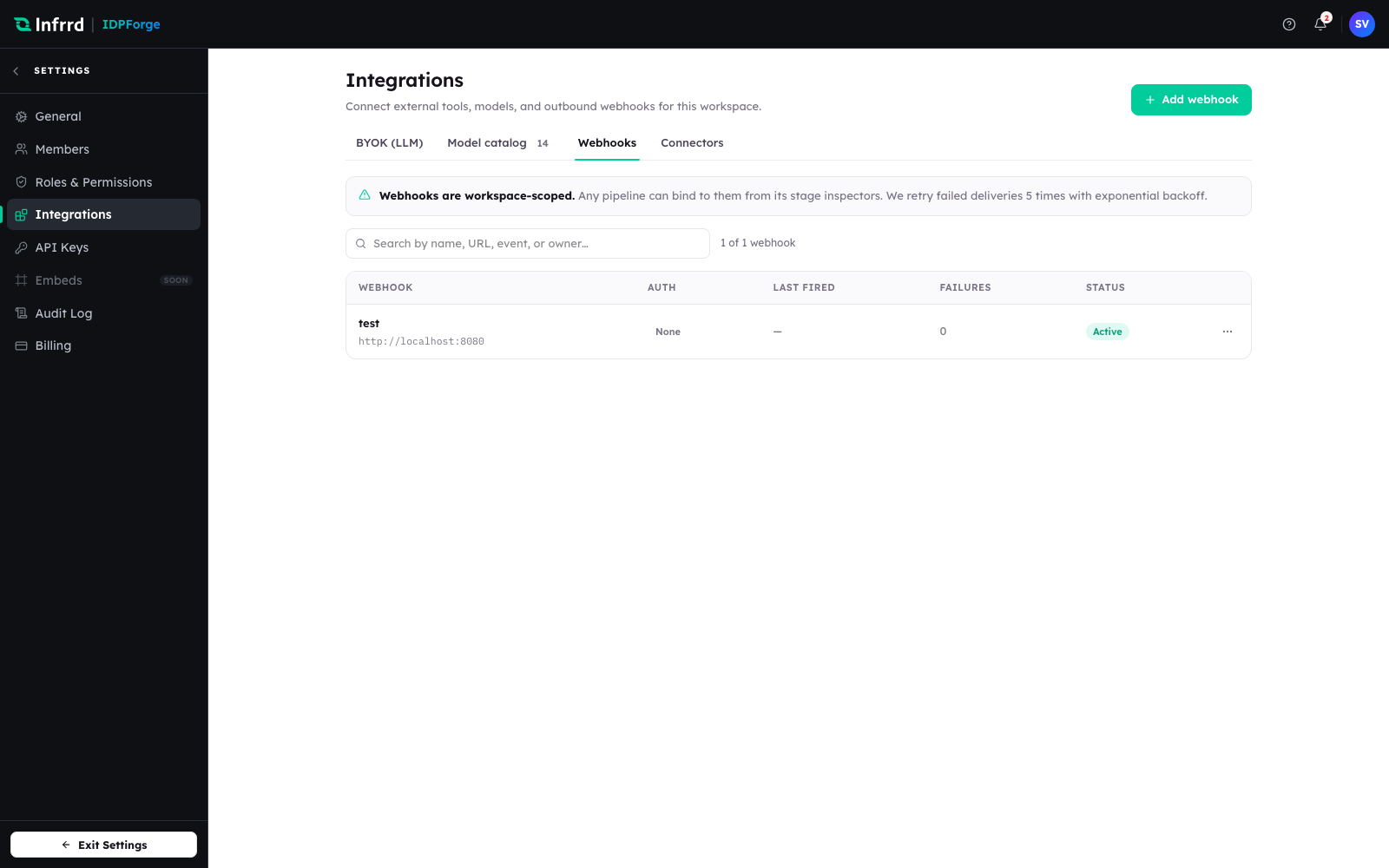
The Webhooks tab under Integrations. The banner is the contract — a webhook is workspace-wide and any pipeline binds to it from its stage inspectors.
2. Add a webhook
Choose Add webhook and fill in the endpoint.
- Name — the label shown in the list and in the pipeline stage picker.
- URL — your HTTPS endpoint.
- Authentication — how IDPForge proves the call to your endpoint: None (only for endpoints secured another way — an allow-list, a signed URL, or mTLS), Password for HTTP Basic, or API key. For API key you also choose whether the key travels as a header or a query parameter, and the header name (default
X-API-Key).
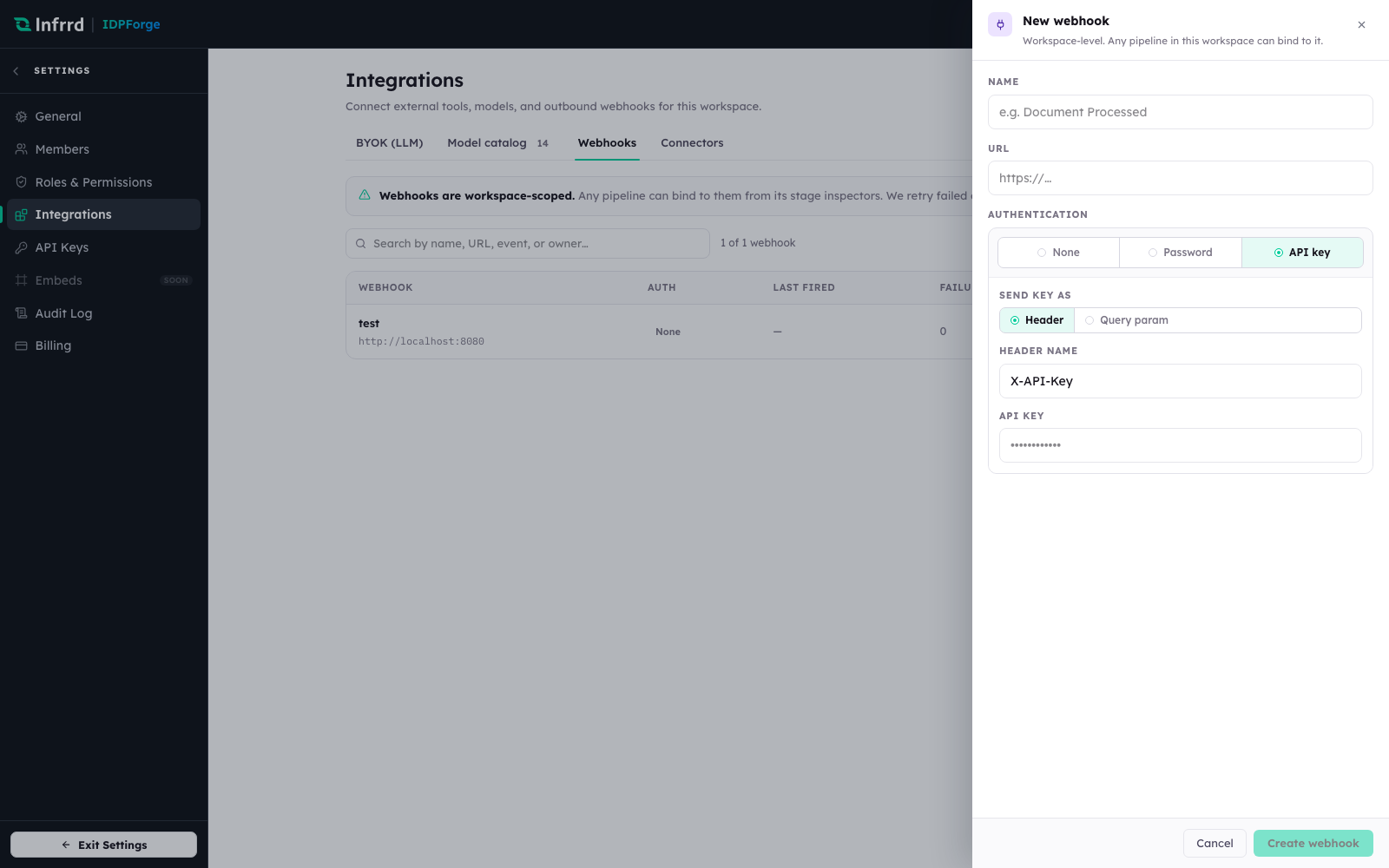
The create sheet with API-key authentication expanded. Authentication here is how IDPForge calls you; verifying that a delivery genuinely came from IDPForge is a separate signature check, covered below.
3. Bind the webhook to a pipeline stage
A webhook does nothing until a pipeline enables it. Open the pipeline in Design and select a stage — Initialization, Parse, Split / Classify, Extract, or Post Processing carry a Webhooks section; Source and Destination do not. Turn on Enable entry webhook (fires before the stage begins) or Enable exit webhook (fires after the stage completes), then pick this webhook.
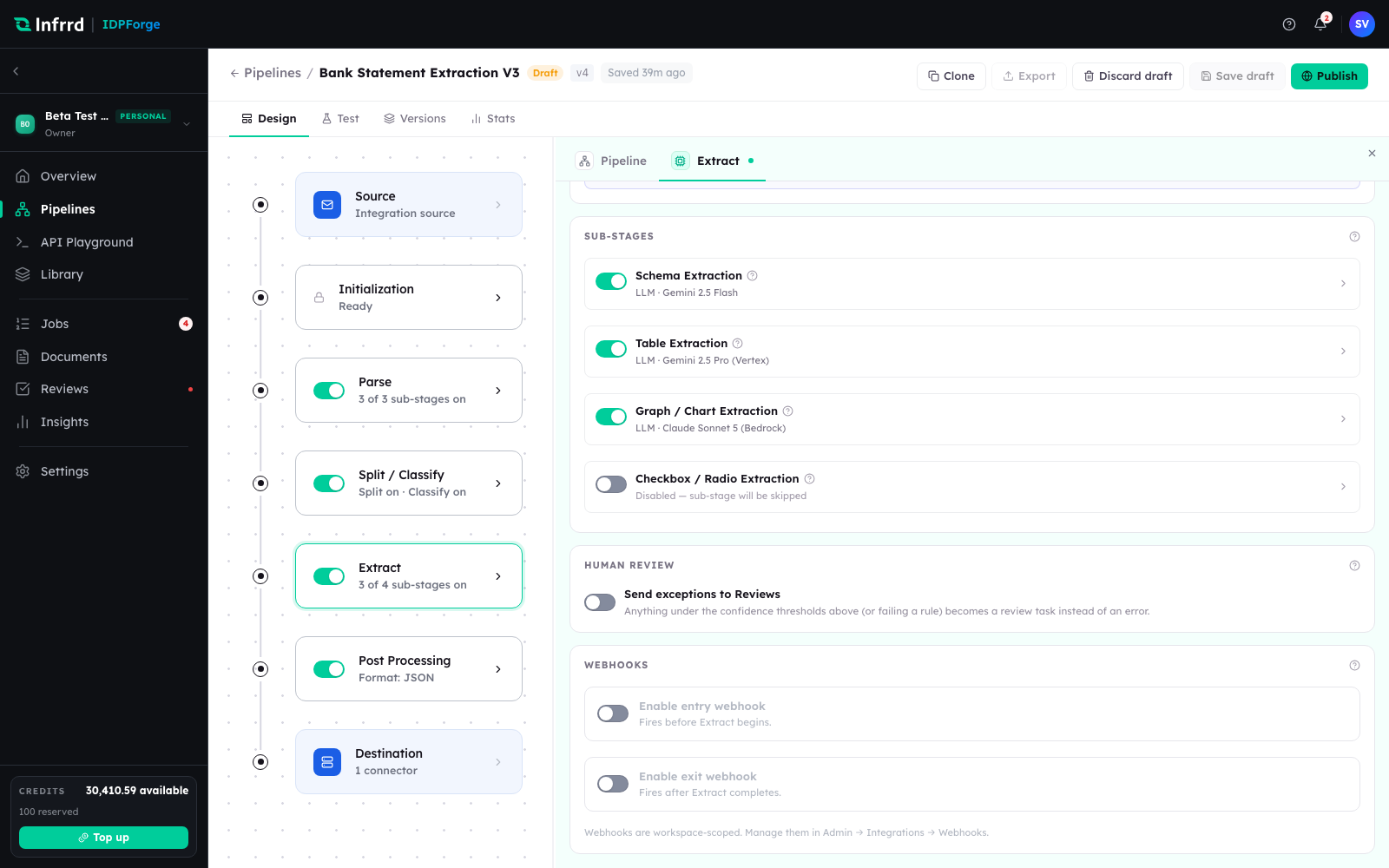
The Webhooks section of a stage inspector. Entry and exit are independent, so a single webhook can mark both the start and the end of the stage that matters to you.
Each delivery's type names the stage and the transition — for example extract.entered or post_processing.exited — and the payload repeats them in its stage and transition fields alongside the job_id.
4. Verify the delivery signature
Every delivery is signed with the webhook's HMAC signing secret. The X-IDPForge-Signature header carries sha256=<hex>: an HMAC-SHA256 of the raw request body. Recompute it over the exact bytes you received, compare in constant time, and parse the JSON only after the signature checks out. There is no separate timestamp header — to reject replays, check the timestamp field (epoch seconds) in the payload and discard events older than a few minutes.
To get the secret, choose Rotate secret from the webhook's row menu. The new secret is shown once, so copy it into your receiver's configuration straight away; rotating invalidates the previous secret. The exact headers and payload fields are in the Webhooks reference.
5. Handle retries idempotently
A delivery that does not get a 2xx is retried with exponential backoff, so your endpoint can receive the same event more than once. Each delivery carries a stable delivery id in the X-IDPForge-Delivery-Id header (and as id in the payload) — record the ids you have processed and ignore repeats. Return 2xx as soon as you have durably accepted the event; do the slow work afterwards.
Test without a public URL
To try a webhook before your endpoint is public, point the URL at a tunnel (ngrok, cloudflared, or similar) that forwards to a local server. The delivery contract is identical, so a receiver that verifies the signature over the tunnel will verify it in production unchanged.