Connectors & destinations
A connector links a workspace to an external system for input and output. Today that system is Google Drive: a connector is an authenticated Google account, and each pipeline picks its own input and output folders from it. Every pipeline also always exposes its result over the Web Response API, whether or not a connector is attached.
A connector is a workspace-level link to an external system. It can act as a source — documents that arrive there are fed into a pipeline — and as a destination — the pipeline's results are written back to it. Connectors are managed in Settings → Integrations, on the Connectors tab, separately from any one pipeline, so one connector can serve many pipelines.
Google Drive, today
The only connector type today is Google Drive. A Google Drive connector is an authenticated Google account; it carries no folders of its own. Each pipeline chooses its folders from that account in the pipeline designer — an input folder on the Source stage and an output folder on the Destination stage.
A file dropped into a pipeline's input folder is processed by that pipeline and then moved to a processed/ subfolder, so the input folder doubles as a visible queue. A file rejected at intake — an unsupported type, for example — moves to failed/ with a .rejected.txt note beside it. When the job completes, the result is written to the pipeline's output folder as a JSON file, with an XLSX rendering of it alongside.
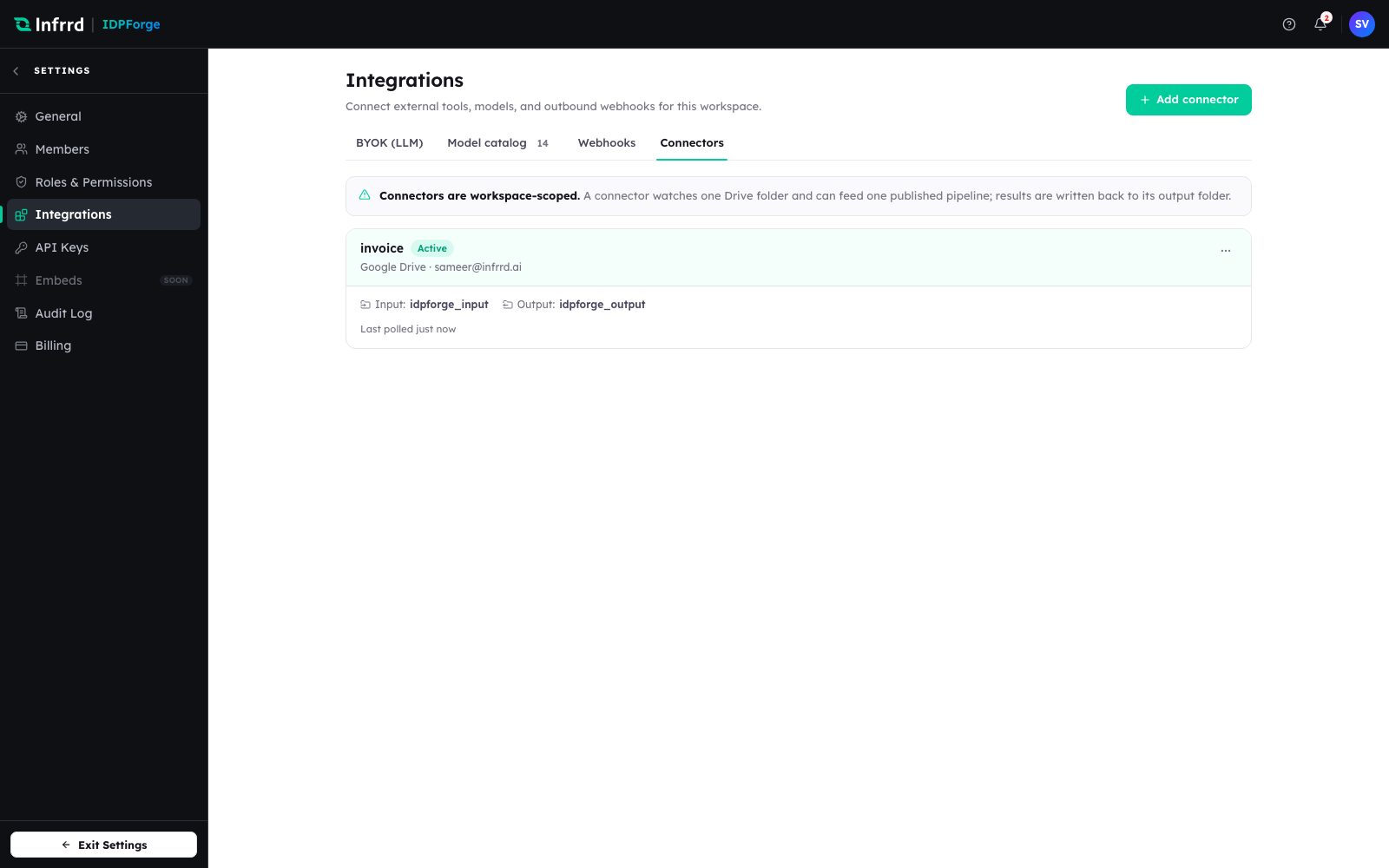
A Google Drive connector on the Connectors tab: its name, status, Google account and last poll. Input and output folders are chosen per pipeline, not on the connector.
One connector, many pipelines
One connector can feed many pipelines, each watching a different folder in the same Drive account. The restriction is on the input folder: it can be the source of at most one published pipeline. Publishing a second pipeline that watches the same connector and folder is rejected with CONNECTOR_FOLDER_CONFLICT, and the Source stage's folder picker disables folders another published pipeline already watches. A pipeline's output folder must differ from its input folder — results written into the watched folder would be ingested again.
A connector cannot be deleted while any pipeline still uses it as a source or destination; the Connectors tab names the pipelines to disconnect first.
Web Response is always on
Independently of any connector, every pipeline ends in a Destination stage whose Web Response output is always on. The result of every job is retrievable over the Job Results API and visible in the API Playground — a connector adds a delivery target, it never replaces the API. A pipeline with no connector still returns its result; it simply has no external folder to write to.
The Destination stage
The Destination stage decides where a finished result goes. It carries the always-on Web Response and, optionally, one Deliver to Google Drive target: an active Google Drive connector plus an output folder. Choosing a different connector replaces the target; choosing none leaves Web Response only. The output format — for example JSON — is set on the Post Processing stage, not here; the Destination stage governs routing, not shape.
Delivery semantics
- On completion — a connector receives the result when the job finishes, not while it is still processing. A job held for review delivers once it completes after the review.
- One published pipeline per input folder — an input folder feeds a single published pipeline, which keeps a document's route unambiguous; the connector itself can serve many.
- Reconnect on lost access — if Google access is revoked or lost, the connector stops polling and delivering until it is reconnected from its card.
What exists today
| Connector | Input | Output |
|---|---|---|
| Google Drive | Each pipeline watches its own input folder | Each pipeline writes results to its own output folder |
Other connector types are not yet available. Until then, endpoints that need the result programmatically use the Web Response API, and outbound notifications use webhooks.