Extract
Extract pulls structured data out of each document — fields, tables, figures, and checkboxes — against a schema, or everything it can find when there is no schema.
What Extract answers
Extract reads the values out of a document: field values, tables, figures, and checkbox or radio selections. It runs on each document — each split-out document when Split is on — and produces the structured record that is delivered to your destination and returned from the API.
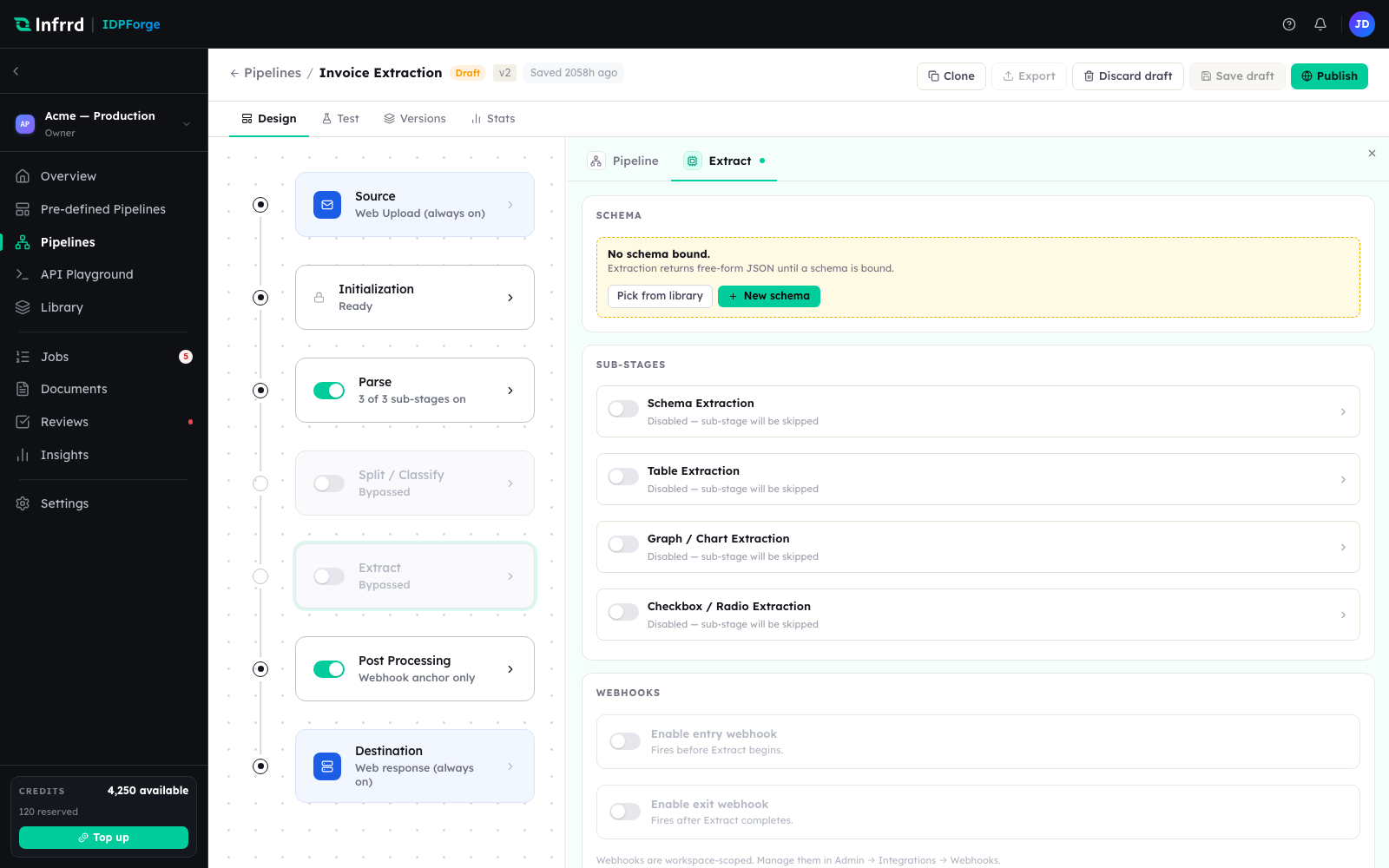
The Extract stage with Classify off. A single schema binds at the top; the four extraction sub-stages below it each handle one kind of content. With no schema bound, extraction returns free-form JSON.
Schema-bound and generic modes
How Extract runs depends on whether a schema resolves for the document.
- Schema-bound — a schema resolved: from the document's class and its routing rule when Classify is on, or from the schema bound on the Extract stage when Classify is off. Extract knows exactly which fields to look for. Each field is routed to the sub-stage that handles its type, and the enabled sub-stages run together. This is the mode that gives validated, predictable output.
- Generic — no schema resolved, so Extract returns free-form JSON: every key-value pair, table, and figure it can find, with no schema to validate against. This is the fallback when Classify is off and no schema is bound, when a document's class matches no routing rule, and when the matching rule has no schema bound. Generic mode does not detect checkboxes and never raises a low-confidence exception.
A run in either mode that extracts nothing at all is flagged as zero-yield and goes to review (see below). A model response that cannot be read as JSON fails the stage rather than coming back as an empty result.
The extraction sub-stages
In schema-bound mode, four sub-stages divide the work by content type. A sub-stage runs only when it is enabled and the schema declares fields of its kind, so nothing is spent on content the schema never asks for. On a new Extract stage all four start switched off.
| Sub-stage | Handles |
|---|---|
| Schema Extraction | Every field that is not a table, figure, or selection — the named values a schema defines. |
| Table Extraction | Table fields — repeating rows with named columns. |
| Graph / Chart Extraction | Figure fields — charts, graphs, logos, diagrams, images, signatures, stamps. |
| Checkbox / Radio Extraction | Checkbox and radio fields — which options are selected. |
Every extracted value carries a confidence and, where it can be located, a bounding box on the page. Extract snaps the box to the matching OCR text block from Parse — for a table, to the table region from Layout Detection — so a reviewer sees the value highlighted where it was read. When no block matches, the model's own estimate is kept.
Validation and confidence signals
In schema-bound mode, validation runs inside Extract. Each value is checked against its field's type and validation rules, a required field that comes back empty is flagged, and the schema's cross-field rules — such as total == subtotal + tax — are evaluated across the extracted values.
A field is flagged needs_review when its confidence falls below its threshold. The threshold resolves in this order:
- the confidence threshold set on the Extract stage's Schema Extraction sub-stage, if one is set;
- the field's own confidence threshold;
- the schema's confidence threshold;
- the platform default, 0.80.
Tables and figures carry no per-field threshold; they count as low confidence only when their own sub-stage sets a confidence threshold. Extract rolls these signals into the result — low_confidence_count, cross_field_errors, and needs_review — and whether they become an exception is decided by the switch in the next section.
Review exceptions
Extract can hand a doubtful result to a human instead of shipping it. The stage carries a single Send exceptions to Reviews switch, off by default. With it off, a low-confidence or rule-failing result is returned as-is and the signals travel with it. With it on, that same result becomes a review task rather than an error, and the pipeline's auto-provisioned "<Pipeline> · Review" work queue receives it.
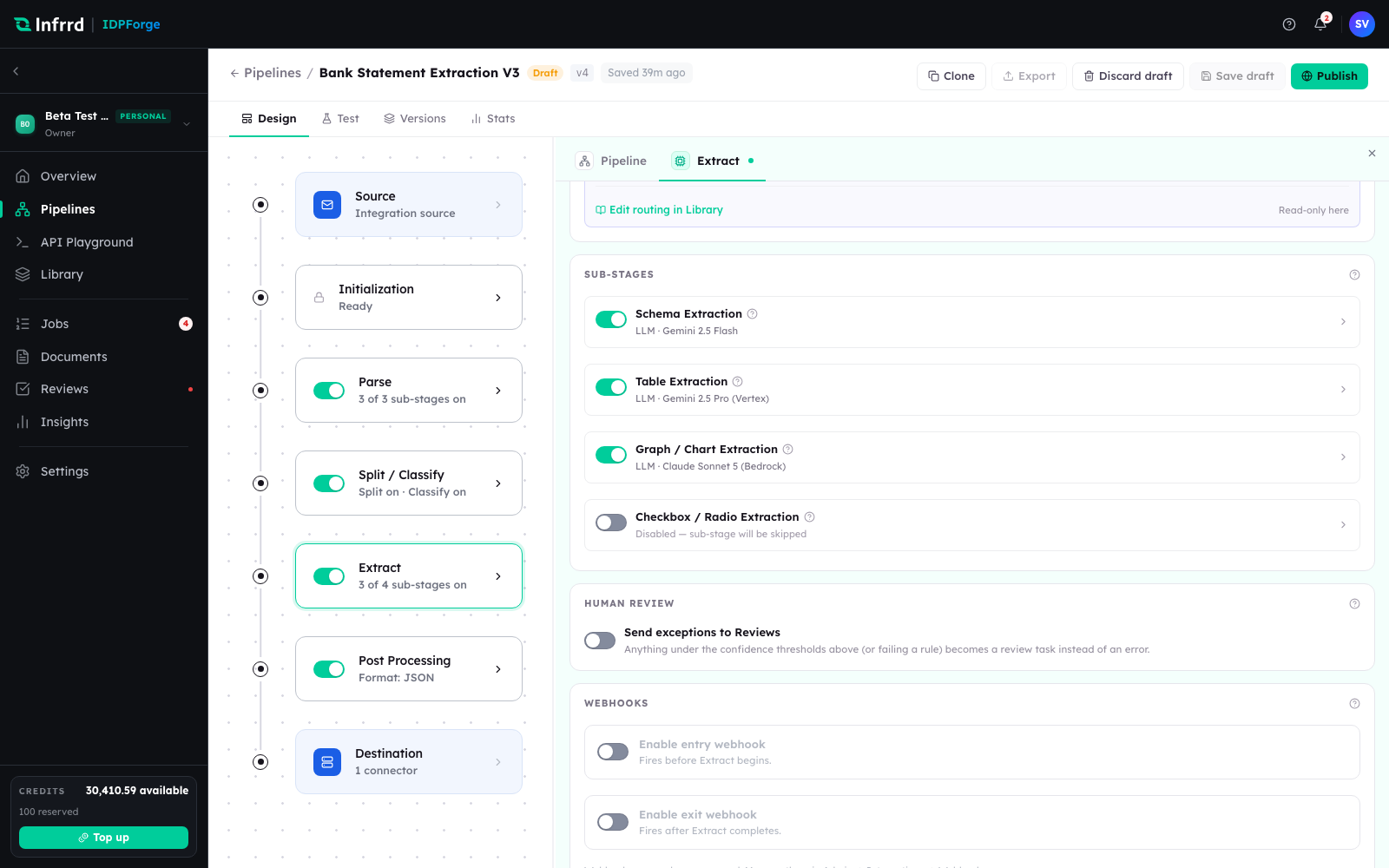
The Human review section of the Extract inspector. The switch turns exceptions into review tasks; anything under the confidence thresholds, or failing a rule, is what qualifies.
Extract raises two kinds of review exception:
| Exception | Raised when | Needs the switch on |
|---|---|---|
low_confidence_extract | Any field is below its threshold, or a cross-field rule fails. | Yes |
zero_yield_extract | Nothing was extracted — no fields, tables, figures, or selections. | No — always goes to review |
What counts as low confidence is set by the thresholds above, not in Reviews. Reviews → Work queues decides who works the resulting queue, in what order, and against what SLA. The review loop itself, from a raised exception to a cleared document, is covered in Exceptions & human review and worked end to end in Correct a document in review.
Output
Both modes return one envelope with the same shape: a mode of schema_bound or generic, then fields, tables, figures, selections, and groups — each present even when empty — plus overall_confidence and the review signals above. One shape for both modes means one renderer in the app and one contract on the API — see the API overview.